How to start using AI in your dealership
By Max Materne
This article originally appeared in the July edition of Powersports Business.
Most of the conversations I hear about AI in dealerships start and end in the same place. “We added a chatbot to our website.”
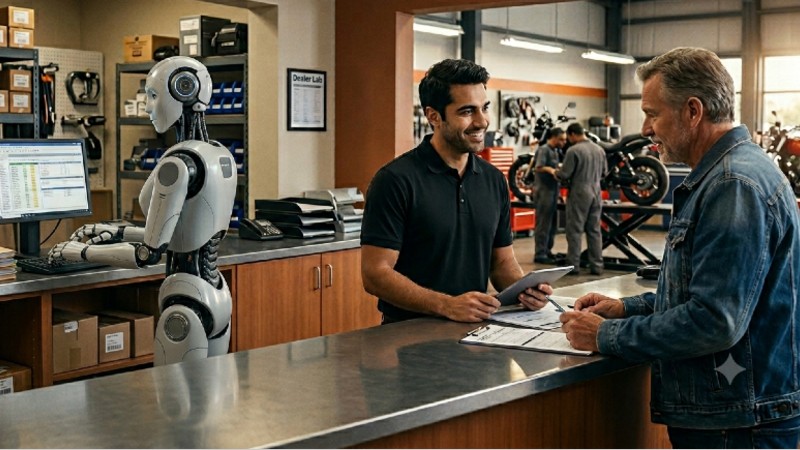
And look, I get it. Customer-facing AI is visible. It’s easy to point to. It feels like innovation you can show someone. But if that’s where the experiment stops, you’re using a sledgehammer to hang a picture frame.
The real opportunity isn’t out front. It’s in the back office, the service lane, the hours your team bleeds every week on tasks that don’t require human judgment. The stuff nobody notices because it just looks like work.
Before I walk you through where to start, let me be honest about where I was a year ago. I knew AI was changing everything. I was reading about it, talking about it on the podcast, and mostly using it the same way most people do: asking it questions, getting answers, closing the tab.
That’s not using AI. That’s using a search engine with better grammar. The shift happened when I stopped asking it questions and started giving it jobs.
And here’s where it gets interesting. Once you learn to give AI jobs, the next step is that AI doesn’t wait for you to assign them. Systems that watch your store, catch what’s slipping, and act before you knew there was a problem. That’s where this is all headed, and it’s exactly what we’re building inside The Dealer Lab right now.




But you can’t skip to the end. The dealers who win with agents will be the ones who built the habits first. So let’s build the habits.
Right starting point
Here’s the thing about starting with AI in your dealership; you don’t need a budget meeting, a vendor demo, or a six-month rollout plan. You need a browser and 15 minutes.

Everything I’m going to describe below works with ChatGPT, Claude, or any of the major tools. Most of them have a free tier. None of them require IT. The entry point isn’t a software purchase. It’s a habit change.
Start by identifying tasks in your store that follow a predictable pattern. Things that happen the same way every time, require information that already exists somewhere, and eat time your team could spend doing something that actually matters. Those are your first experiments.
One easy win
Your advisers write the same texts and emails dozens of times a week. Declined-work follow-ups. Service complete notifications. Estimate approvals. Delay explanations. Every one of those is a task that can be drafted in seconds with AI.
Instead of an adviser staring at a blank screen trying to figure out how to tell someone their bike isn’t ready until Thursday, they paste in a few details and get a draft back in 10 seconds. They read it, edit two words, hit send. That’s not replacing your advisor. That’s giving them back 20 minutes a day. Multiplied across every advisor, every day, that number gets real fast.
Start here. It’s low-stakes, immediately useful, and it builds confidence with your team that this isn’t something to be afraid of.
Try pasting this into ChatGPT or Claude right now:
“I work at a powersports dealership. A customer dropped off their bike for a scheduled service. We found additional work that needs to be done before the bike is safe to ride. The added cost is $340. They need to approve it before we can proceed. Write a brief, professional text message explaining what we found and ask for approval. Keep it under 100 words. No technical jargon.”
Read what comes back. Edit it to sound like your store. Save it. Do that ten times with different scenarios, and you’ve built a communication template library your whole service team can pull from.
Talk like it’s human
Here’s something most people don’t realize when they start using these tools. You don’t have to write perfect sentences or organize your thoughts before you start. You don’t have to sound professional or polished.
AI is remarkably good at understanding intent. Even if you ramble, switch directions mid-thought, or leave sentences unfinished, it can find the thread and do something useful with it. That changes how you use the tool entirely.
The best example I’ve found in a dealership context is meeting notes. We run a lot of meetings in this industry. We’re not always great at documenting what came out of them. Decisions get made in a room and forgotten by the time everyone gets back to the floor.
Here’s what I do now. When a manager meeting ends, I pull out my phone and use the voice-to-text feature. Not to record the meeting. To debrief it. I just start talking. Out loud. To no one.
“Okay so we talked about the service backlog, Jake needs to figure out why RO close times are running long, we think it’s the parts wait but we’re not sure. Sarah brought up that we’re losing customers at the first service follow-up, nobody’s calling them within 48 hours. We said we’d build a checklist for that. I want to look at our loaner bike policy too, that came up again. John’s going to pull the numbers on that by Friday.”
That whole thing took me about forty-five seconds to say. I paste it into an AI tool and add one line:
“Turn this into a list of action items with an owner for each one and a suggested deadline. Format it so I can paste it into a group text.”
Thirty seconds later I have a clean accountability list I can share with the whole team before I leave the parking lot. Accountability dies in dealerships because the follow-through breaks down between the meeting and Monday morning. This fixes that.
And here’s the bigger point: don’t feel like you have to compress everything into a tight, polished prompt. More context makes the output better. If you have two minutes of rambling thoughts about a problem you’re trying to solve, dump all of it in. AI will find your intent even when you can’t find the words.
AI THINGS WORTH KNOWING — Use it to think out loud. When you are stuck on a decision, describe the problem to AI the way you’d describe it to a trusted adviser over coffee. Don’t ask for an answer right away. Just explain the situation, the options you’re considering, and what’s making it complicated. — Ask it to argue against you. Before you commit to a new process or a significant change, paste your plan into an AI tool and ask it to poke holes in it. “What could go wrong with this? What am I not thinking about? Where would this break down inside a dealership?” You’ll catch problems before they find you. Let it edit, not just create. Paste something you’ve already written, whether it’s an email to a difficult customer, a policy you’re rolling out, or a message to your team, and ask it to make it cleaner, clearer, or more direct.
Job descriptions
If you’ve hired recently, you know the pain. You need a service adviser. You stare at an empty screen. Write something generic, post it, and get 20 applications from people who have never touched a motorcycle in their lives.
The reason most job posts fail is that the person writing them already knows too much. They assume everyone understands what the role actually involves. So they skip the specifics, use generic titles and bullet points, and end up attracting people who are just job hunting rather than people who actually want to work in a dealership.
Here’s a better way to do it. Instead of asking AI to write a job post, ask AI to interview you about the role first.
Try this:
“I’m hiring for a role at my powersports dealership and I need help writing a compelling job description. Instead of me trying to describe it all at once, I’d like you to interview me about the position. Ask me one question at a time. When you have enough information, write the job post.”
Then just answer the questions as they come. What does a typical day look like? What kind of person has succeeded in this role before? What makes working at your store different? What’s the hardest part of the job that candidates need to know going in?
You’ll end up with a job post that actually sounds like your store, describes the real job, and attracts candidates who know what they’re signing up for.
This same interview approach works for writing SOPs, building training materials, or documenting processes that live inside someone’s head. Instead of asking someone to write it down, ask AI to pull it out of them one question at a time.
The agents
Everything I’ve described above is manual. You’re doing the work with AI, step by step.
What comes next is different.
Agents are AI systems that don’t wait for you to ask. They monitor, they execute, they hand off tasks between tools, and they report back. Instead of you bringing the AI to the problem, the agent is already working on it before you knew there was a problem to solve.
An agent could watch your RO board and flag anything over 72 hours with no status update. Another could monitor your first-service follow-up window and send a reminder to the advisor if no contact has been logged. Another could pull your weekly numbers, format them, and have a summary waiting in your inbox Monday morning before you get in.
This is not science fiction. We’re building and testing exactly this inside The Dealer Lab right now. Getting there requires a foundation. The manual habits I described above, clear prompts, useful outputs, documented processes, that’s the groundwork. Teams that skip it and go straight to agents end up automating chaos.
But if you’ve started experimenting and you’re ready to think about what an AI-assisted operating system could look like for your store, that’s the conversation we want to have.